Top 5 Free Mobile Video Editing Apps to Create High-Quality Reels and Shorts
Published by VidoPay Creative Team on July 2026
Short-form vertical video (9:16) has become the dominant media format across modern social networks. For content creators working on VidoPay campaigns, delivering clear, well-edited video promos is the single most important factor in passing the 500-view threshold.
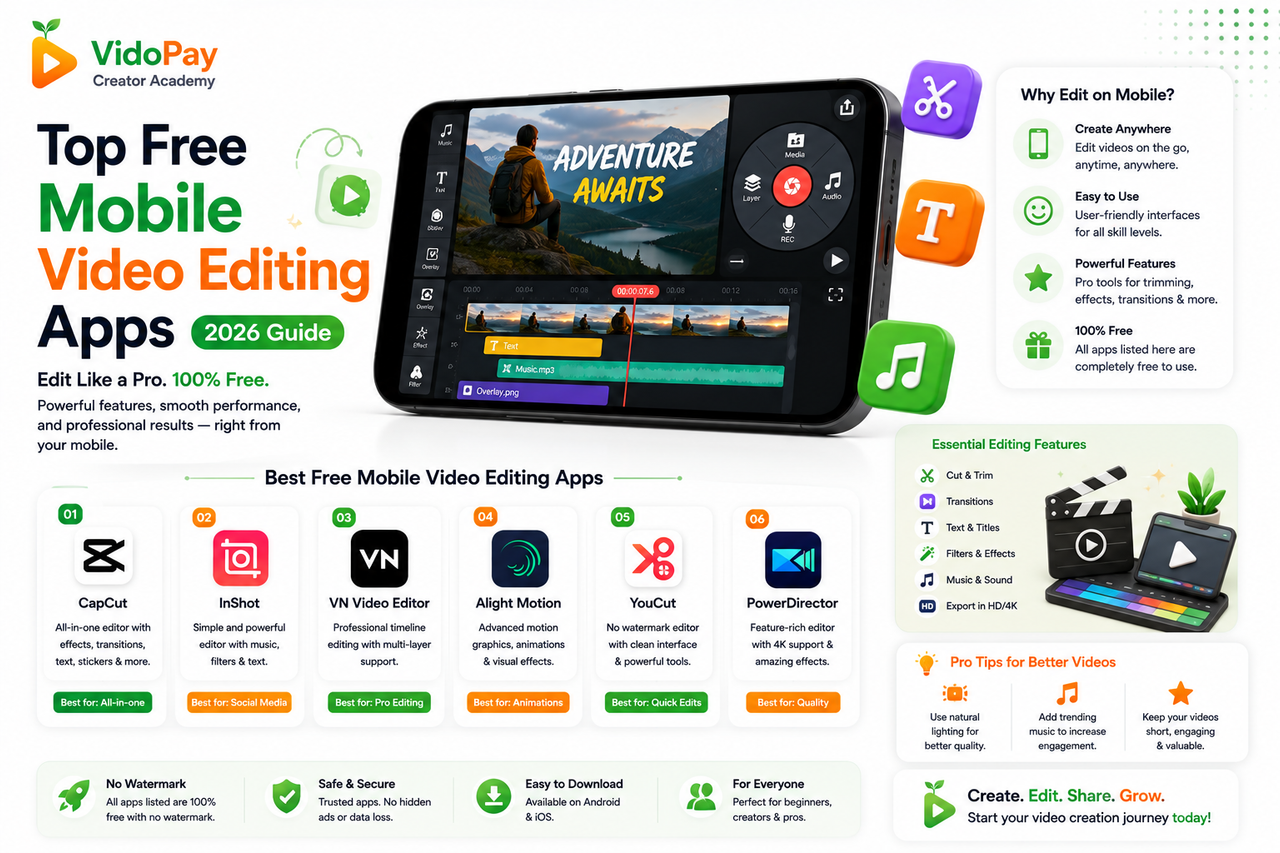
Fortunately, you do not need an expensive desktop setup or complicated professional software to produce high-performing videos. Here are the 5 best free mobile video editing applications for Android and iOS that will help you create engaging content quickly.
1. CapCut: Best Overall for Social Creators
Developed by ByteDance, CapCut is widely considered the most versatile tool for short-form editing. Its mobile interface is packed with features designed specifically for TikTok, Reels, and Shorts.
- Auto-Captions: Instantly generates accurate subtitles from your voiceover, improving viewer retention.
- Effects Library: Huge collection of trending transitions, text templates, and green screen options.
- Timeline Control: Easy multi-track timeline that allows you to overlay images and background music.
2. VN Video Editor: Best Watermark-Free Professional App
If you need a clean, professional output without annoying watermarks, VN Video Editor is an excellent choice. It is highly suitable for creating structured brand tutorials or walkthroughs.
- No Watermark: Free exports with no branding or forced ending cards.
- Curve Speed Adjustments: Easily customize video speed curves to create stylish, slow-motion hooks.
- LUT Support: Import custom color grading filters to match your campaign's brand aesthetic.
3. InShot: Best for Fast, Practical Edits
InShot is a popular, user-friendly editor built for quick social media post creation. If you want to merge simple recorded clips and add background music quickly, InShot is highly efficient.
- Canvas Ratios: Instantly switch canvas dimensions between 9:16 (Shorts), 1:1 (Instagram), and 16:9 (YouTube).
- Basic Text Overlays: Add animated text boxes, stickers, and simple emojis.
- Audio Syncing: Adjust separate audio levels for your voiceover and background sound.
4. Alight Motion: Best for Advanced Graphics and Animations
For creators looking to include vector graphic animations, custom illustrations, or heavy kinetic typography, Alight Motion offers desktop-class capabilities on mobile.
- Keyframe Animation: Create precise custom movements for any overlay, sticker, or text.
- Vector Drawing: Import or draw custom vector shapes directly inside the timeline.
- Visual Effects: Extensive options for color correction, glow, blur, and distortion.
5. Canva Mobile: Best for Drag-and-Drop Templates
If you don't want to record custom footage, Canva Mobile offers thousands of pre-made vertical video layouts, stock footages, and graphic elements.
- Pre-built Video Templates: Browse thousands of ready-made 9:16 vertical video drafts.
- Animate Feature: Instantly animate text titles and static image overlays in one click.
- Free Stock Assets: Rich library of free background loops, music tracks, and icons.
💡 Editing Tips to Boost Your VidoPay Views
Simply using the apps isn't enough; your editing decisions must prioritize audience attention to reach the 500-view minimum:
- Focus on the First 3 Seconds: Cut straight to the point. Start with a visual prompt or intriguing question to prevent users from scrolling away.
- Always Add Subtitles: Many users scroll social media with their audio muted. Adding auto-captions ensures they still understand your message.
- Balance Your Audio: Ensure your background music is set to around 10-15% volume, so your voiceover is clear and easy to understand.
Ready to Create High-Converting Content?
Pick your favorite mobile app, edit engaging shorts or reels, and submit your verified proof on VidoPay for payouts.
Browse Active Campaigns 🚀